typescript
70 lines · 9 steps
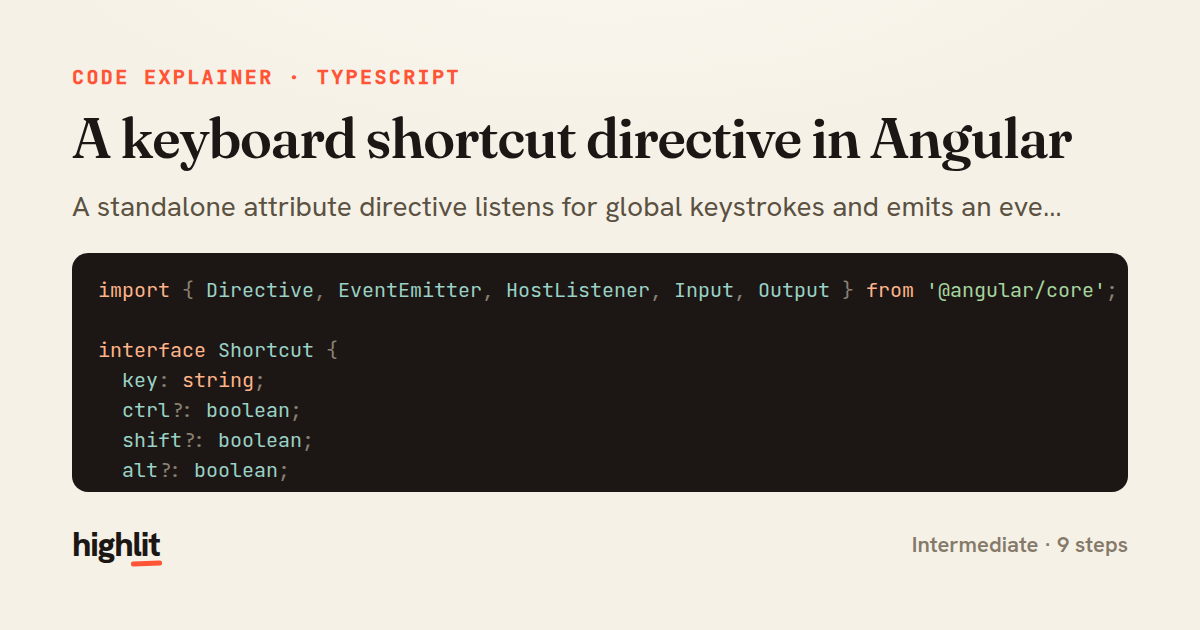
A keyboard shortcut directive in Angular
A standalone attribute directive listens for global keystrokes and emits an event when a configured combo matches.
Explained by
highlit
1import { Directive, EventEmitter, HostListener, Input, Output } from '@angular/core';
2
3interface Shortcut {
4 key: string;
5 ctrl?: boolean;
6 shift?: boolean;
7 alt?: boolean;
8 meta?: boolean;
9}
10
11@Directive({
12 selector: '[appKeyboardShortcut]',
13 standalone: true,
14})
15export class KeyboardShortcutDirective {
16 @Input('appKeyboardShortcut') shortcut!: Shortcut | string;
17 @Input() allowInInputs = false;
18 @Output() triggered = new EventEmitter<KeyboardEvent>();
19
20 @HostListener('document:keydown', ['$event'])
21 onKeyDown(event: KeyboardEvent): void {
22 if (!this.allowInInputs && this.isEditableTarget(event.target)) {
23 return;
24 }
25
26 if (!this.matches(event)) {
27 return;
28 }
29
30 event.preventDefault();
31 event.stopPropagation();
32 this.triggered.emit(event);
33 }
34
35 private matches(event: KeyboardEvent): boolean {
36 const spec = this.normalize(this.shortcut);
37 return (
38 event.key.toLowerCase() === spec.key.toLowerCase() &&
39 event.ctrlKey === !!spec.ctrl &&
40 event.shiftKey === !!spec.shift &&
41 event.altKey === !!spec.alt &&
42 event.metaKey === !!spec.meta
43 );
44 }
45
46 private normalize(shortcut: Shortcut | string): Shortcut {
47 if (typeof shortcut !== 'string') {
48 return shortcut;
49 }
50
51 const parts = shortcut.toLowerCase().split('+').map((p) => p.trim());
52 const key = parts.pop() ?? '';
53 return {
54 key,
55 ctrl: parts.includes('ctrl'),
56 shift: parts.includes('shift'),
57 alt: parts.includes('alt'),
58 meta: parts.includes('meta') || parts.includes('cmd'),
59 };
60 }
61
62 private isEditableTarget(target: EventTarget | null): boolean {
63 const el = target as HTMLElement | null;
64 if (!el) {
65 return false;
66 }
67 const tag = el.tagName;
68 return tag === 'INPUT' || tag === 'TEXTAREA' || tag === 'SELECT' || el.isContentEditable;
69 }
70}
01 / 01
STEP 01
‹ swipe to step through ›
Walkthrough
Space play
←→ step
click any line
Three takeaways
- 1Directives can bind to document-level events with HostListener to capture input anywhere on the page.
- 2Accepting either a string or an object and normalizing it internally gives callers a flexible, forgiving API.
- 3Guarding against editable targets prevents shortcuts from hijacking normal typing in forms.
Related explainers
typescript
import { registerLocaleData } from '@angular/common';
import localeFr from '@angular/common/locales/fr';
import localeFrExtra from '@angular/common/locales/extra/fr';
import localeDe from '@angular/common/locales/de';
Locale-aware bootstrapping in Angular
i18n
localization
dependency-injection
Intermediate
8 steps
typescript
import { Module } from '@nestjs/common';
import { ConfigModule } from '@nestjs/config';
import * as Joi from 'joi';
Validating env config at boot in NestJS
configuration
schema-validation
environment-variables
Intermediate
8 steps
typescript
import { Inject, Injectable, Logger } from '@nestjs/common';
import { CACHE_MANAGER } from '@nestjs/cache-manager';
import { Cache } from 'cache-manager';
import { InjectRepository } from '@nestjs/typeorm';
A cache-aside country lookup in NestJS
cache-aside
dependency-injection
batch-lookup
Intermediate
8 steps
typescript
import { Injectable, effect, signal, computed } from '@angular/core';

interface Preferences {
  theme: 'light' | 'dark';
A signal-based preferences store in Angular
signals
state-management
persistence
Intermediate
7 steps
typescript
import { useEffect, useState } from "react";

interface Section {
  id: string;
Building a scroll-spy hook in React
custom-hooks
intersectionobserver
dom-observation
Intermediate
8 steps
typescript
import { Injectable, Scope, Inject, NotFoundException } from '@nestjs/common';
import { REQUEST } from '@nestjs/core';
import { Request } from 'express';
import { DataSource } from 'typeorm';
Per-tenant database connections in NestJS
multi-tenancy
connection-pooling
dependency-injection
Advanced
8 steps
Share this explainer
Here's the card — post it anywhere.
Made with highlit — turn any snippet into a walkthrough like this in about a minute.
Explain your code
Embed this explainer
Drop the interactive walkthrough into a blog or docs. Views never cost a credit.
<iframe src="https://highlit.co/explainers/a-keyboard-shortcut-directive-in-angular-explained-typescript-aa57/embed?autoplay=1" width="100%" height="520" loading="lazy" style="border:0"></iframe>
Autoplay is on by default — add ?autoplay=0 to start paused.