ruby
41 lines · 9 steps
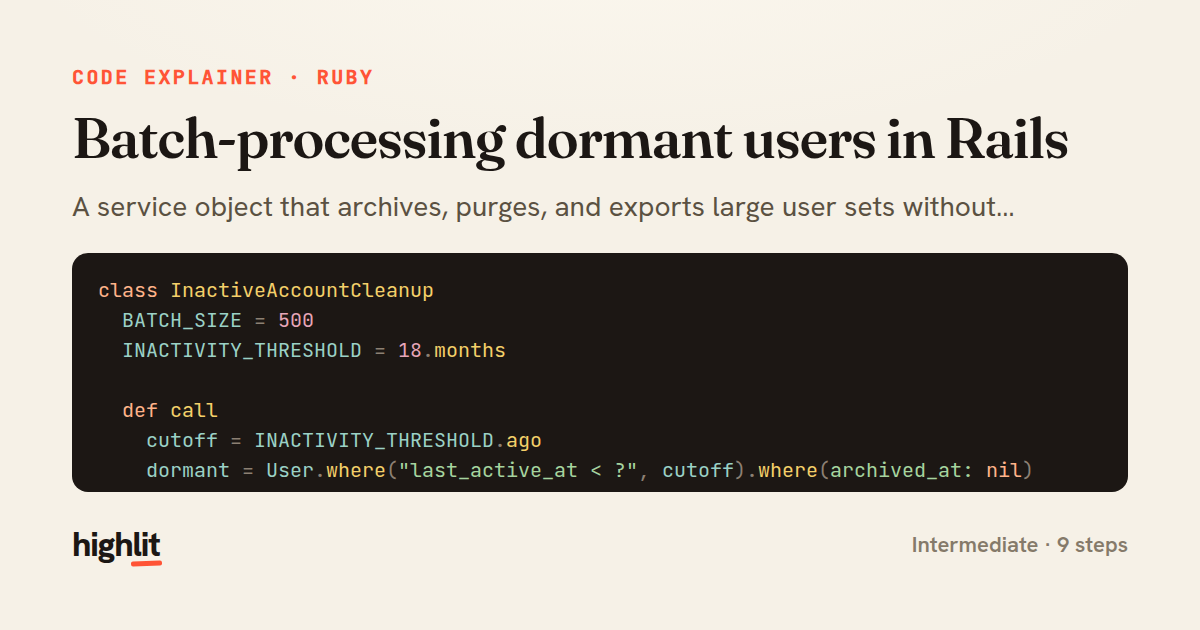
Batch-processing dormant users in Rails
A service object that archives, purges, and exports large user sets without loading everything into memory.
Explained by
highlit
1class InactiveAccountCleanup
2 BATCH_SIZE = 500
3 INACTIVITY_THRESHOLD = 18.months
4
5 def call
6 cutoff = INACTIVITY_THRESHOLD.ago
7 dormant = User.where("last_active_at < ?", cutoff).where(archived_at: nil)
8
9 dormant.find_each(batch_size: BATCH_SIZE) do |user|
10 user.update_columns(archived_at: Time.current)
11 AccountArchivedMailer.with(user: user).farewell_notice.deliver_later
12 end
13 end
14
15 def purge_soft_deleted!
16 scope = User.where.not(deleted_at: nil).where("deleted_at < ?", 30.days.ago)
17
18 scope.in_batches(of: BATCH_SIZE) do |relation|
19 ids = relation.pluck(:id)
20
21 Comment.where(user_id: ids).delete_all
22 ApiToken.where(user_id: ids).delete_all
23 relation.delete_all
24
25 Rails.logger.info("Purged #{ids.size} users, oldest id #{ids.min}")
26 end
27 end
28
29 def export_report(io)
30 User.select(:id, :email, :last_active_at)
31 .order(:id)
32 .find_in_batches(batch_size: 1_000) do |group|
33 rows = group.map do |user|
34 [user.id, user.email, user.last_active_at&.iso8601]
35 end
36
37 io.write(rows.map { |row| row.join(",") }.join("\n"))
38 io.write("\n")
39 end
40 end
41end
01 / 01
STEP 01
‹ swipe to step through ›
Walkthrough
Space play
←→ step
click any line
Three takeaways
- 1Batched iteration keeps memory flat when acting on tables that don't fit comfortably in RAM.
- 2Choosing update_columns, delete_all, or a mailer per row is a deliberate trade of callbacks and speed.
- 3Deleting dependent rows by foreign key before the parent avoids orphaned records when callbacks are bypassed.
Related explainers
ruby
require "shellwords"
require "open3"

module Backup
Building safe shell commands in Ruby
shell-out
subprocess
command-injection
Intermediate
7 steps
ruby
class UserAgentParser
  BROWSERS = [
    [/Edg\/([\d.]+)/, "Edge"],
    [/OPR\/([\d.]+)/, "Opera"],
Parsing user-agent strings in Ruby
regex
pattern-matching
lookup-tables
Intermediate
8 steps
ruby
class LogAggregator
  BUCKET_FORMAT = "%Y-%m-%dT%H:%M"

  def initialize(entries)
Bucketing log entries by the minute in Ruby
aggregation
hashing
enumerable
Intermediate
5 steps
ruby
class WeeklySignupsReport
  DEFAULT_WEEKS = 12

  def initialize(weeks: DEFAULT_WEEKS, source: User.all)
Building a weekly signups report in Rails
service object
aggregation
group by
Intermediate
7 steps
ruby
class ApplicationController < ActionController::Base
  EXPERIMENTS = {
    checkout_button_color: %w[control blue green],
    onboarding_flow: %w[control streamlined]
How A/B test cohorts are assigned in Rails
a-b-testing
cookies
hashing
Intermediate
8 steps
ruby
class SnippetHighlighter
  CONTEXT_RADIUS = 60
  MAX_TERMS = 8
Building search-result snippets in Ruby
regular-expressions
text-processing
search
Intermediate
9 steps
Share this explainer
Here's the card — post it anywhere.
Made with highlit — turn any snippet into a walkthrough like this in about a minute.
Explain your code
Embed this explainer
Drop the interactive walkthrough into a blog or docs. Views never cost a credit.
<iframe src="https://highlit.co/explainers/batch-processing-dormant-users-in-rails-explained-ruby-a15c/embed?autoplay=1" width="100%" height="520" loading="lazy" style="border:0"></iframe>
Autoplay is on by default — add ?autoplay=0 to start paused.