javascript
27 lines · 6 steps
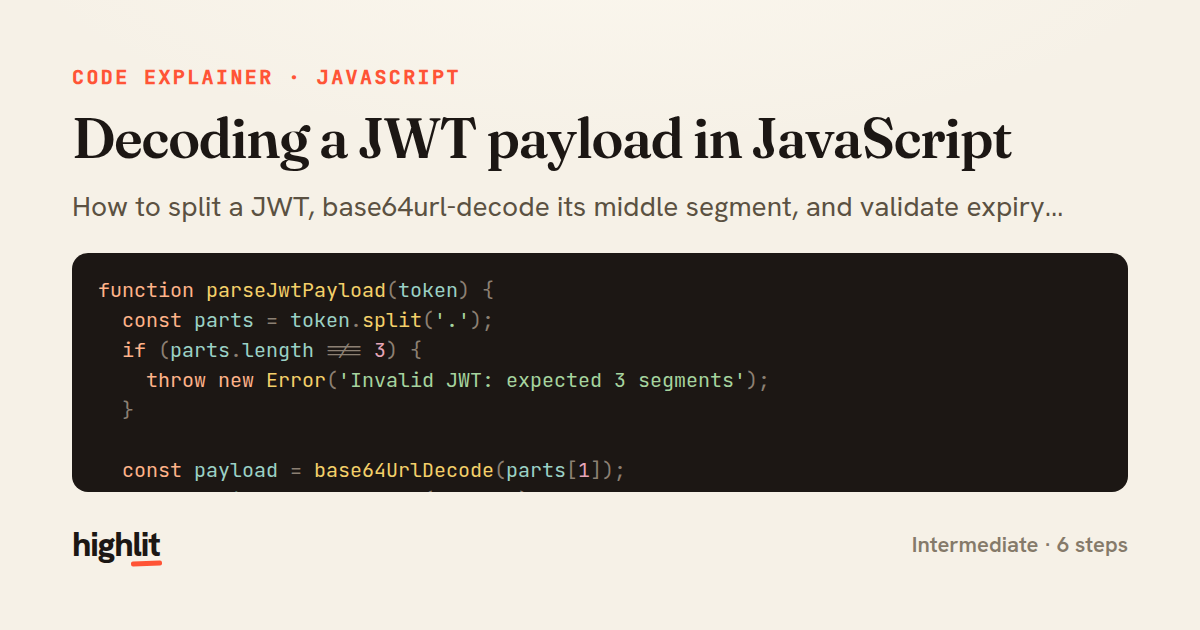
Decoding a JWT payload in JavaScript
How to split a JWT, base64url-decode its middle segment, and validate expiry without a library.
Explained by
highlit
1function parseJwtPayload(token) {
2 const parts = token.split('.');
3 if (parts.length !== 3) {
4 throw new Error('Invalid JWT: expected 3 segments');
5 }
6
7 const payload = base64UrlDecode(parts[1]);
8 const claims = JSON.parse(payload);
9
10 if (claims.exp && Date.now() >= claims.exp * 1000) {
11 throw new Error('Token expired');
12 }
13
14 return claims;
15}
16
17function base64UrlDecode(segment) {
18 let base64 = segment.replace(/-/g, '+').replace(/_/g, '/');
19 const padding = base64.length % 4;
20 if (padding) {
21 base64 += '='.repeat(4 - padding);
22 }
23
24 const binary = atob(base64);
25 const bytes = Uint8Array.from(binary, (char) => char.charCodeAt(0));
26 return new TextDecoder('utf-8').decode(bytes);
27}
01 / 01
STEP 01
‹ swipe to step through ›
Walkthrough
Space play
←→ step
click any line
Three takeaways
- 1A JWT is just three base64url-encoded segments joined by dots, so parsing starts with a split and a length check.
- 2Base64url differs from standard base64 by swapping two characters and dropping padding, both of which must be reversed before decoding.
- 3Client-side expiry checks catch obviously stale tokens but never replace server-side signature verification.
Related explainers
ruby
class UserAgentParser
  BROWSERS = [
    [/Edg\/([\d.]+)/, "Edge"],
    [/OPR\/([\d.]+)/, "Opera"],
Parsing user-agent strings in Ruby
regex
pattern-matching
lookup-tables
Intermediate
8 steps
javascript
function evaluate(expression) {
  const tokens = tokenize(expression);
  let pos = 0;
Building a recursive descent calculator
parsing
recursion
operator-precedence
Intermediate
8 steps
javascript
import { useState, useEffect, useCallback, useRef } from 'react';

const cache = new Map();
const inflight = new Map();
Building a stale-while-revalidate hook in React
caching
request-deduplication
custom-hooks
Advanced
10 steps
rust
use chrono::{Duration, NaiveDate};

#[derive(Debug)]
pub struct DateRange {
Parsing and iterating date ranges in Rust
error-handling
iterators
parsing
Intermediate
7 steps
javascript
import { useEffect, useRef, useState } from 'react';

export function useDelayedFlag(active, delay = 300) {
  const [visible, setVisible] = useState(false);
Delaying a loading spinner with a React hook
custom-hooks
debouncing
cleanup
Intermediate
8 steps
javascript
const SWIPE_THRESHOLD = 80;
const MAX_TRANSLATE = 120;

export function attachSwipeToDismiss(element, onDismiss) {
Building a swipe-to-dismiss gesture in JS
touch-events
gesture-detection
dom-manipulation
Intermediate
10 steps
Share this explainer
Here's the card — post it anywhere.
Made with highlit — turn any snippet into a walkthrough like this in about a minute.
Explain your code
Embed this explainer
Drop the interactive walkthrough into a blog or docs. Views never cost a credit.
<iframe src="https://highlit.co/explainers/decoding-a-jwt-payload-in-javascript-explained-javascript-ea85/embed?autoplay=1" width="100%" height="520" loading="lazy" style="border:0"></iframe>
Autoplay is on by default — add ?autoplay=0 to start paused.