java
35 lines · 6 steps
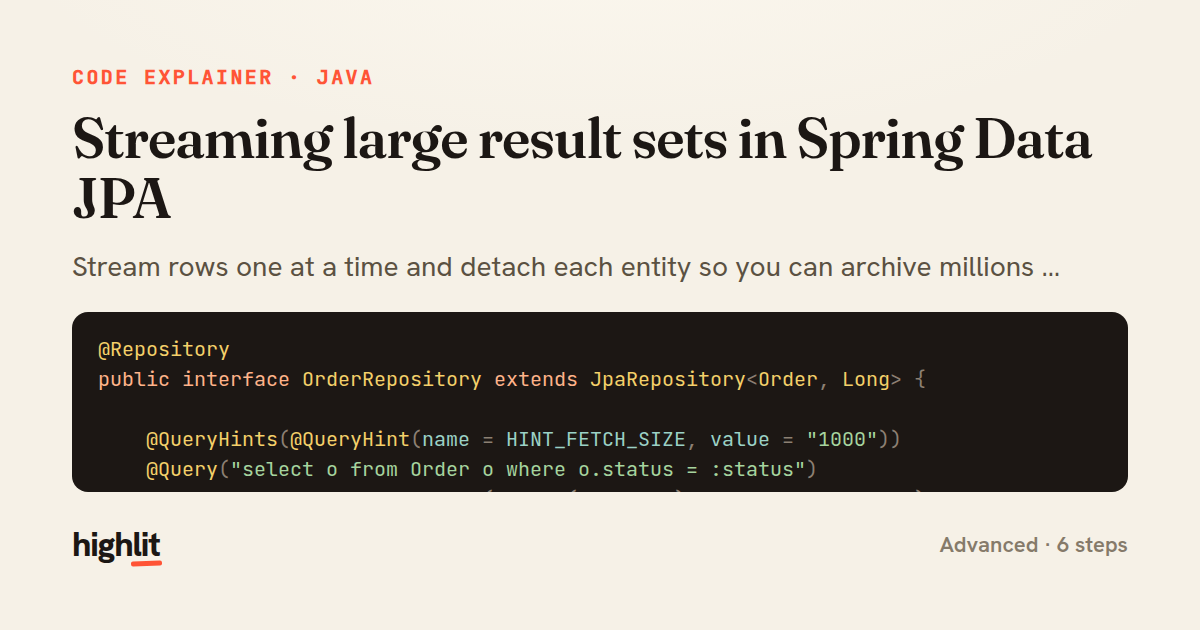
Streaming large result sets in Spring Data JPA
Stream rows one at a time and detach each entity so you can archive millions of orders without exhausting memory.
Explained by
highlit
1@Repository
2public interface OrderRepository extends JpaRepository<Order, Long> {
3
4 @QueryHints(@QueryHint(name = HINT_FETCH_SIZE, value = "1000"))
5 @Query("select o from Order o where o.status = :status")
6 Stream<Order> streamByStatus(@Param("status") OrderStatus status);
7}
8
9@Service
10public class OrderArchivalService {
11
12 private final OrderRepository orderRepository;
13 private final ArchiveWriter archiveWriter;
14
15 public OrderArchivalService(OrderRepository orderRepository, ArchiveWriter archiveWriter) {
16 this.orderRepository = orderRepository;
17 this.archiveWriter = archiveWriter;
18 }
19
20 @Transactional(readOnly = true)
21 public long archiveCompletedOrders() {
22 var counter = new AtomicLong();
23 try (Stream<Order> orders = orderRepository.streamByStatus(OrderStatus.COMPLETED)) {
24 orders.forEach(order -> {
25 archiveWriter.write(order.toArchiveRecord());
26 counter.incrementAndGet();
27 entityManager.detach(order);
28 });
29 }
30 return counter.get();
31 }
32
33 @PersistenceContext
34 private EntityManager entityManager;
35}
01 / 01
STEP 01
‹ swipe to step through ›
Walkthrough
Space play
←→ step
click any line
Three takeaways
- 1Returning a Stream lets JPA pull rows lazily from a cursor instead of loading the whole result set into memory.
- 2Detaching each entity after use stops the persistence context from accumulating managed objects and leaking memory.
- 3A streaming query must run inside an open transaction and its Stream must be closed to release the underlying database cursor.
Related explainers
php
<?php

namespace App\Services\Checkout;
Validating coupons with Laravel's Pipeline
pipeline
chain of responsibility
transactions
Intermediate
7 steps
java
@Component
@Converter
public class EncryptedStringConverter implements AttributeConverter<String, String> {
Transparent column encryption in Spring & JPA
encryption
aes-gcm
jpa-converter
Advanced
10 steps
java
package com.acme.billing.config;

import org.springframework.boot.autoconfigure.condition.ConditionalOnProperty;
import org.springframework.boot.context.properties.ConfigurationProperties;
Feature-flagged beans with Spring @ConditionalOnProperty
feature-flags
conditional-beans
strategy-pattern
Intermediate
5 steps
python
import random
from typing import Iterator, List
How reservoir sampling picks k items
reservoir-sampling
streaming
randomness
Intermediate
5 steps
java
public static Map<String, String> parseCookieHeader(String header) {
    Map<String, String> cookies = new LinkedHashMap<>();
    if (header == null || header.isBlank()) {
        return cookies;
Parsing an HTTP Cookie header in Java
string-parsing
http
url-decoding
Intermediate
6 steps
java
public class TimedSocketReader {

    private static final int READ_TIMEOUT_MS = 5_000;
    private static final int CONNECT_TIMEOUT_MS = 3_000;
Reading a socket with connect and read timeouts
sockets
timeouts
io
Intermediate
8 steps
Share this explainer
Here's the card — post it anywhere.
Made with highlit — turn any snippet into a walkthrough like this in about a minute.
Explain your code
Embed this explainer
Drop the interactive walkthrough into a blog or docs. Views never cost a credit.
<iframe src="https://highlit.co/explainers/streaming-large-result-sets-in-spring-data-jpa-explained-java-cc49/embed?autoplay=1" width="100%" height="520" loading="lazy" style="border:0"></iframe>
Autoplay is on by default — add ?autoplay=0 to start paused.